
An agentic hybrid to-do list
What a shared AI-enabled and agent-friendly to-do list looks like. Lessons from RafeOS.


Every to-do system I've ever used has the same quiet defect: it accuses you. Open it after a busy week and there's the backlog, sitting there like an unpaid bill. The tool was meant to help, and instead it became one more thing to manage (capture the item, triage it, file it under the right project, remember to look at it, feel slightly bad about the eleven things you didn't get to). Most "productivity" software is, in the end, admin about admin.
I wanted to find out what happened if I stopped treating the to-do list as something only I write to.
In RafeOS, tasks aren't my private list. They're a shared store that multiple agents and I all write to, and every change is recorded with the name of whoever (or whatever) made it. The list keeps itself mostly up to date. I keep the judgement, and I'm experimenting with where the agents have to ask before any of it sticks.
Of everything I've built into RafeOS, the task store surprised me most by how central it became. It's probably the purest hybrid human-agentic tool in the whole system: genuinely written to and read by both me and the agents, with neither side owning it. I suspect that's partly because it was the second version of the idea. I started with a plain Markdown file doing the same job, hit its limits, and rebuilt it properly. It's still a glorified list of checkboxes, but I'm rather fond of it.
One store, many writers
Most to-do apps assume tasks come from one place: you, typing. That's the assumption I wanted to drop, so I designed the store wider than any single source from day one. It's fed from several directions at once:
- Instructions and skills make it easy to automatically review, create, add status update notes, or mark a task as complete when working with an agentic harness (mainly through instructions, reinforced with end-session or skills)
- Weekly review habit can spot an appointment, a message, or a document that implies a commitment, and suggest creating tasks (for me a quick voice follow-up on a Claude Cowork scheduled task, equivalent to an EA briefing, has been particularly powerful... and is starting to nag me about stuff I haven't done).
- Briefing follow-ups enable status alerts and inferred information to be turned into a specific task (lowering the friction for creation of status-derived tasks).
- Manual capture from any surface I happen to be at: the command line, a chat window, my phone (good for normal life and real-world tasks).
A task carries a source tag so I always know where it came from: source=messaging, source=briefing, source=health, source=manual. When I capture something myself it looks like this:
rafeos tasks add "chase consulting invoice" --domain finance --priority highNothing exotic. The point isn't that command; it's that the same store is just as reachable by an agent triaging my messages at 7am as it is by me at the keyboard. The list stops being a thing I maintain and becomes a thing that maintains itself, with me as one contributor among several.
A real lifecycle, not a checkbox
A checkbox is too thin to let an agent do anything useful. If the only states are "done" and "not done", an agent can't safely move a task along, because there's nowhere to move it to that means "I've parked this until Thursday" rather than "I dropped it".
So tasks have an actual lifecycle. Every task gets a status: inbox for newly captured and not yet triaged, active for in play, snoozed for not-now-but-not-gone, done, and dropped for the honest "this isn't happening" pile. Each task also has a priority, a rough size, and a domain (finance, home, health, work, and so on). Notes are append-only: you add to the history, you don't quietly overwrite it.
Listing and updating look like you'd expect:
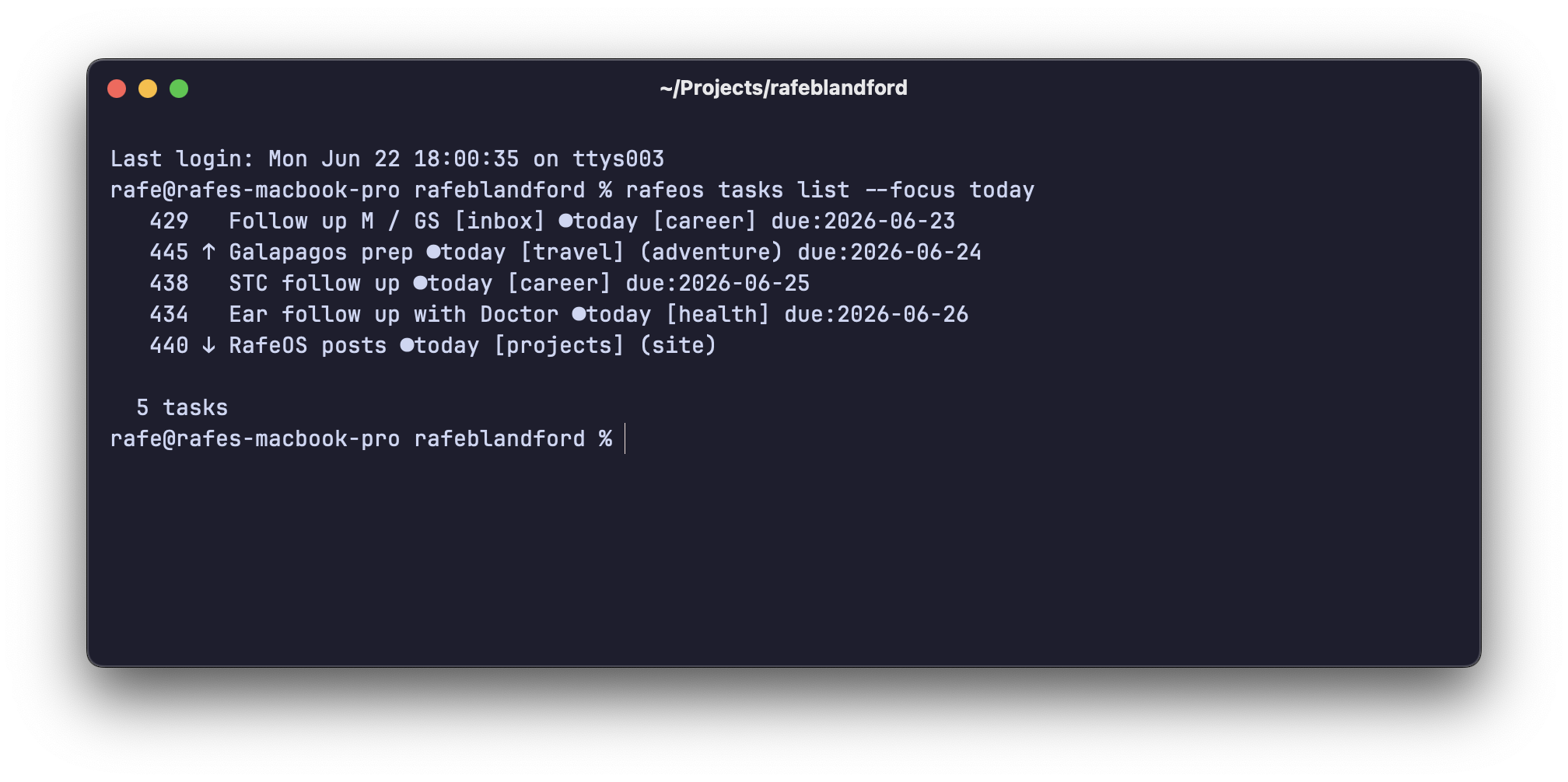
rafeos tasks list --focus today
rafeos tasks update 14 --status done
That richness is what makes agentic handling possible. An agent triaging the inbox can promote a task to active, set a sensible priority, or snooze something that's clearly for next month. All legitimate moves within a model that has room for nuance. A checkbox would force everything into a binary that doesn't match how work actually behaves.
Where the agents earn their keep, and where they don't
The agents are strongest on the computer-shaped work. When I'm building something in RafeOS with Claude Code or Codex (a new module, a refactor, a bug) tasks get created and closed almost without me thinking about it; it's similar with knowledge or document work with Claude Cowork. The work and the record of the work happen in the same place, so the agent that did the thing also files that it's done, with a contextual note about what changed and why (it also ties into session logs, which are cross referenced and have additional detail). Going back later and finding it all recorded, with those notes attached, is genuinely useful. That's the case where I most happily let go.
Real-world tasks are different. When I needed to get an electrician in, I talked it through with an agent, had it write the scope into a short brief and update that brief as things firmed up, and eventually close it off. But I was steering throughout. The pattern I keep noticing is that the digital, check-it-off tasks are the ones agents own, and the physical-world ones are the ones I still drive. The system has settled into respecting that on its own, but I can sense the barriers moving as more things come into the system’s purview.
The importance of the audit log
Here's the part that turns "an agent is editing my to-do list" from unsettling into useful.
Every change to a task (every status move, every priority bump, every note) is written to an audit log, with attribution. So when I open a task I can see not just where it stands but how it got there, and who did each step: me from the command line, the briefing orchestrator, the messaging triage. If an agent moved something, the log tells me why it moved.
That trail is doing the heavy lifting. Without it, handing over the routine moves would be slightly spooky: things shuffling around my list while I'm not watching, no way to interrogate the change. With it, the automation is just delegation I can audit. If an agent gets it wrong, I can see exactly what it did and reverse it. The log is what lets me relax my grip.
The session-end checkpoint
When I've been working in a harness a customised session-end skill includes a step that summarises what it wants to do to the task store and asks me to approve it. New tasks it thinks should exist, things it reckons are done, items it wants to snooze or drop: it lays them out and waits. Most of the time I just say yes, because most of the time it's right.
The failure mode this guards against isn't the dramatic one. The agents almost never get a task badly wrong. What they do, left to their own enthusiasm, is create too many of them. Because I keep tasks fairly high-level (closer to reminders than to a micro-managed checklist), that over-eagerness is the thing I'm still tweaking.
What "mine" looks like at a glance
The flip side of letting agents do most of the moving is that I need to see, instantly, the slice that's genuinely mine to act on. That's what --focus today is for: a short, human-sized view of what needs me, not the full churn of everything captured, triaged and snoozed in the background.
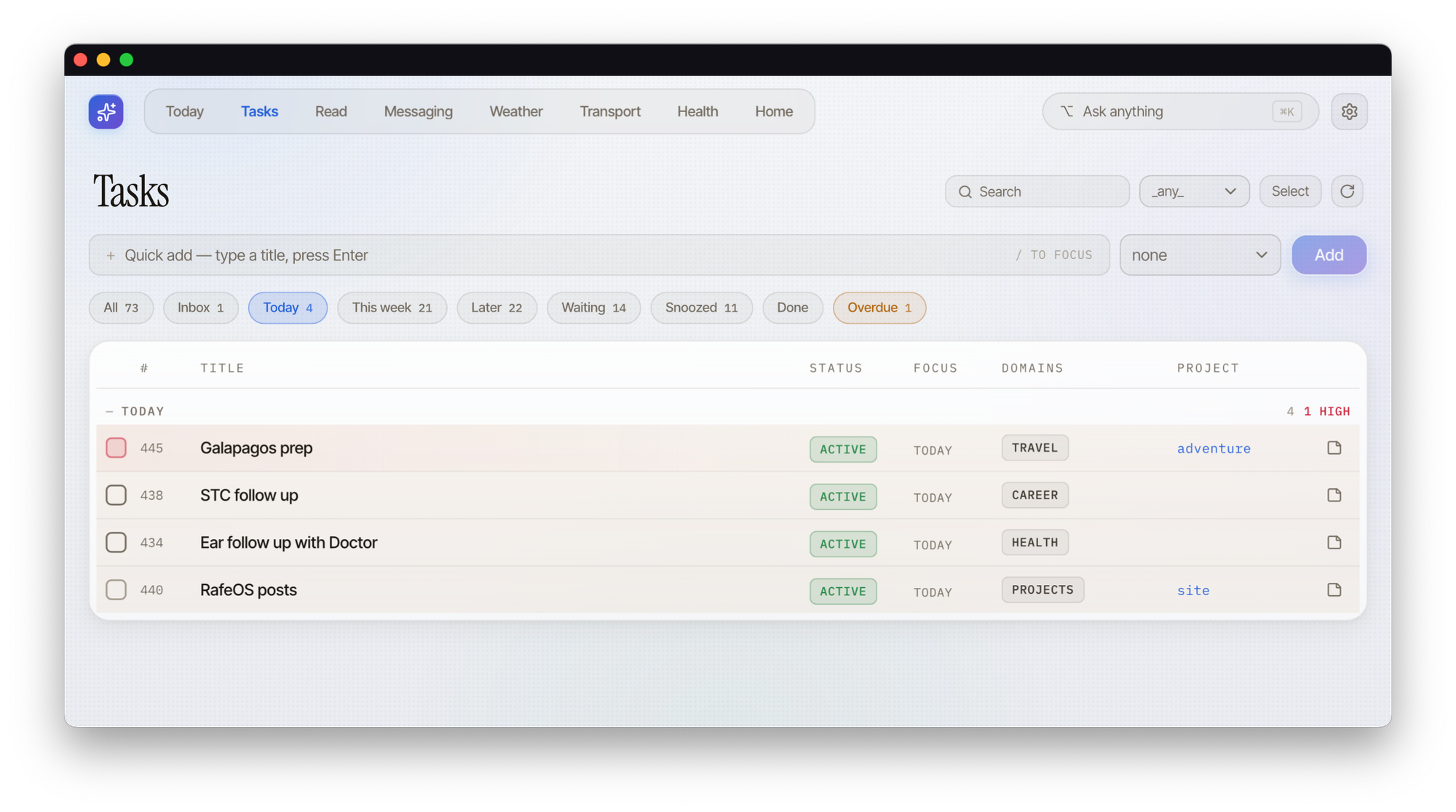
The whole arrangement only works because the at-a-glance "what's mine" list stays honest and short. If it bloated, I'd be back to a to-do list that accuses me, just with extra steps. Keeping it lean is the real job and I'd say this is still a work in progress.
How the trust actually built
The tidy version of this story would be a single moment where I stopped checking and started trusting. That isn't what happened.
What shifted, slowly, is that I now leave the agents to create and close the appropriate tasks and do far less of the ticking-off myself, particularly on the engineering side, where it just works.
I have also changed the shape of things to fit how much I trusted it. The bigger, chunkier commitments live in the task store; the more granular items moved into plain backlog.md in the project folder.
Why I built the engine rather than buying one
Unlike a lot of other RafeOS modules there's not an app under Tasks. The engine is a handful of Python scripts and a single SQLite file. Not using something like Todoist or Things cuts against the grain.
A task store is commodity functionality; there's nothing in mine that a hundred apps don't already do better in their UI. However, I built it for two reasons. First, portability: it's a single file I own outright, scriptable from anything, with no service to be at the mercy of. Second, and more important, the integration is the value, not the engine. What matters isn't how tasks are stored; it's that everything else in the system (messaging, the briefing, health, home) can write to the same store, and that every write is attributed and runs past the same checkpoint. You can't easily get that coherence by bolting onto someone else's product. The commodity bit is the to-do list. The valuable bit is that it's wired into everything.
The limits
This isn't finished, as the above commentary should make obvious. I'm still not sure how much of life genuinely belongs in a task list at all, and I'm recording less of it than I once did.
But the core of it holds up in daily use. Most of my task admin now happens through agents rather than my own typing, the bit that needs a human stays small and visible, which is what feels different. After years of to-do lists that quietly made me feel behind, that's the first one that feels like it's working for me rather than the other way round.
On how this was made: the task store is part of RafeOS, which is built collaboratively with AI — and this post was also drafted with Claude and edited by me.
New writing by email
Occasional pieces on product, technology and AI — and how they actually play out in practice.


