
Archiving 20 years of mobile history
Three sites, 24,000+ articles documenting the rise and fall of entire mobile ecosystems — migrated from a dying server into a permanent static archive.

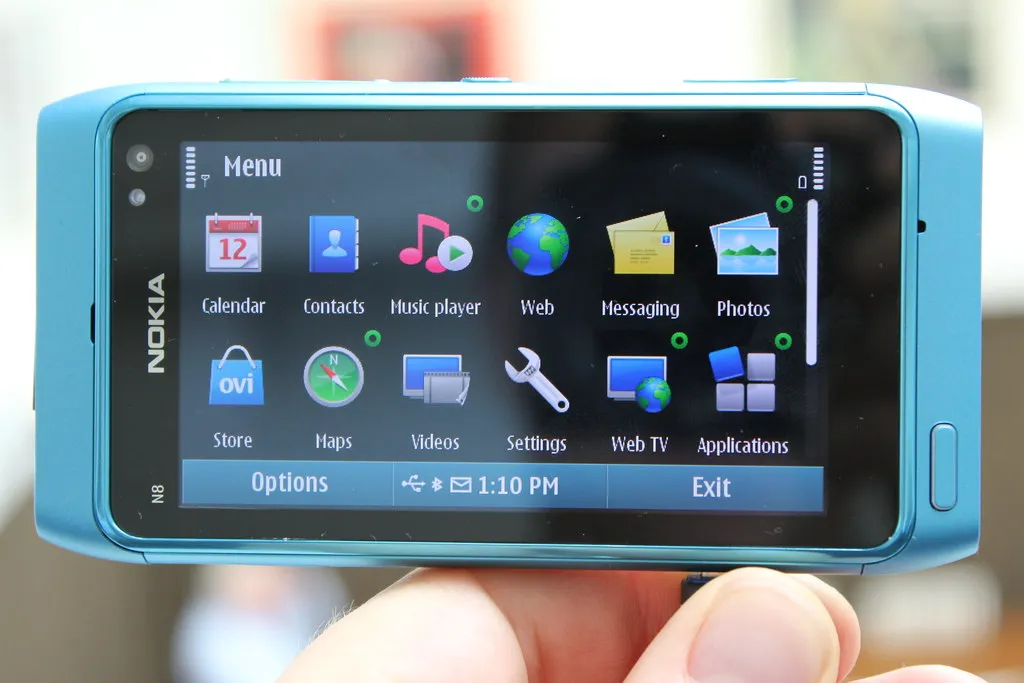
Between 2003 and the mid-2010s, I ran three mobile technology sites: All About Symbian, All About Windows Phone, and All About Mobile. At their peak, they were go-to destinations for Nokia, Windows Phone, and broader mobile coverage. Collectively, they published over 24,000 articles -- news, reviews, features, podcasts, camera test galleries -- documenting the rise and fall of entire mobile ecosystems.
The sites have been frozen for years. No new content, no active maintenance. But they still get traffic. People still find articles about Symbian app development, or Nokia N95 camera comparisons, or the ill-fated Windows Phone 8.1 update.
Something had to be done, and doing nothing was no longer an option.
The problem isn't what you'd expect
The default assumption would be that archiving a website means copying files. Download the HTML, move it to a new server, job done. But these weren't static sites. They were dynamic PHP applications built on a custom CMS I'd written more than 15+ years ago. A handful of PHP template files served every article from a MySQL database. The filesystem contained the engine; the content lived in the database. You couldn't just copy public_html and call it a day -- you'd get an empty CMS with no articles. Equally, getting the old application running on a new server with modern versions of PHP and MySQL wasn't really necessary, or even optimum, for an archive project.
So the task was really: render every page that the CMS could produce, save the output as static HTML, and reconstruct a complete, navigable archive that preserved every URL.
The old server audit
Before any of that, I needed to understand what was actually on the server. The sites were sitting on a CentOS 7 server that hit end-of-life in June 2024.
The audit revealed error logs, old backups three-year-old cPanel backups and stale system files. The actual content across all six hosting accounts was about 61GB. It was a useful reminder that servers left mostly unattended don't just decay -- they accumulate. So, there was a bit of a spring clean before proceeding, allowing for a more efficient and less crufty migration.
Spidering 24,000 articles
With the server cleaned up and fresh backups safely on the Synology NAS, the real work began. I used wget to spider each site, running from the new server with /etc/hosts entries pointing the domain names directly at the old server's IP – bypassing Cloudflare and avoiding SSL complications from certificates that had expired in 2023.
All About Mobile was the test run: 487 articles, done in minutes. Then All About Symbian (13,590 articles) and All About Windows Phone (9,043 articles) ran in parallel. The media files -- podcasts, camera test photos, downloads -- were too large to spider efficiently, so those were rsynced separately. 37GB of media files, 15GB of article images, 1.5GB of historical software downloads.
By the end of the afternoon, 29,067 HTML pages and 54GB of content were sitting on the new server.
Post processing and clean up
wget does a solid job of downloading pages, but its file naming conventions don't match what search engines and bookmarks expect. Articles that lived at /news/item/24528_Slug.php were saved as 24528_Slug.php.html. Pagination pages that used query strings like ?page=2 ended up as files with literal question marks in the name.
The post-processing had to undo all of this. Pagination files were restructured into clean /page/N/ directories. Internal links were rewritten from wget's converted format back to canonical URLs. The Caddy web server configuration handled the final mapping -- a rewrite snippet that transparently serves .php.html files when browsers request .php URLs, and redirects pagination queries to the right directory structure.
I also stripped out everything that no longer made sense: Google Analytics (the old Universal Analytics, long since deprecated), Chartbeat, Skimlinks, Google Translate, AddThis social sharing -- all dead services still loading scripts into pages nobody was monitoring. Over 185,000 dead script blocks were removed. In their place, a lightweight Umami analytics tag and a small archive notice banner at the bottom of each page.
There were other things too, I have written separately about these, and there are certainly other things in the backlog that are worth tidying up, but the overriding principle was that it was important to focus on preservation and only rework things that helped with preservation, ease of maintenance, and allowing for easy-as-possible access.
What was kept, what was let go
The sites are now static HTML served by Caddy on a modern Debian server, fronted by Cloudflare with proper SSL, caching, and security headers. They'll happily sit there for years with essentially zero maintenance. Twenty years of mobile history, preserved.
The old server and the live dynamic application was retired, but all the constituent components are available. Beyond the static HTML archive, the source code went to a private GitHub repository – the complete custom CMS, PHP libraries, PEAR dependencies, .htaccess routing rules, and architecture documentation. The databases were migrated to MariaDB on the new server and also preserved as SQL dumps. A structured data export also captured all 24,076 articles as JSONL with full metadata.
A different way of working
The entire migration was orchestrated through Claude Code – an AI assistant running on my Mac, SSH-ing into both servers, writing scripts, executing commands, and debugging problems. I set the direction and made the decisions; Claude Code did the investigation and heavy lifting. It's a collaboration pattern I've written more about here, but the short version is: what would have been weeks of evenings-and-weekends manual work was compressed into a couple of focused days.
New writing by email
Occasional pieces on product, technology and AI — and how they actually play out in practice.


